



 |
 |
EXOR ETI d.o.o.
Brnčičeva 51
1000 Ljubljana
Tel.: +386 1 511 10 95
E-mail: info@exor-eti.si

Menu
EXOR International develops industrial solutions for visualization, control, system connectivity, and edge data processing. The portfolio includes HMI devices, web HMI, industrial PC platforms, IoT gateway solutions, embedded systems and devices designed for specific industrial environments, such as the food, pharmaceutical, marine & offshore and oil and gas industries.
As a distributor of EXOR International solutions in our region, we help you select the right device according to the application type, operating conditions, required connectivity, and the level of system digitalization. The EXOR portfolio is based on a combination of hardware, HMI and edge software, as well as cloud access for remote monitoring and support. Within this framework, JMobile is the software environment for developing HMI applications, visualization and communication with industrial systems, while Corvina Platform enables secure remote access, monitoring and support for devices and plants, in line with the requirements of each specific project.
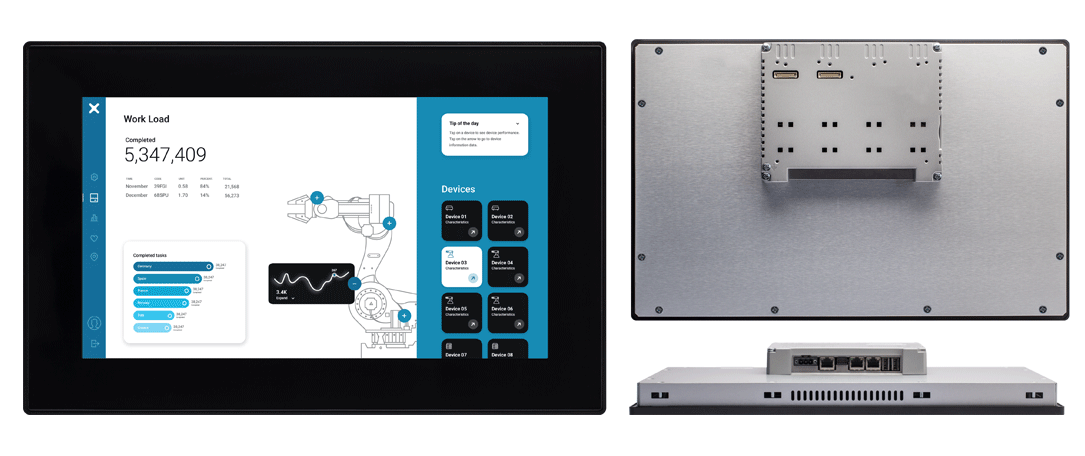
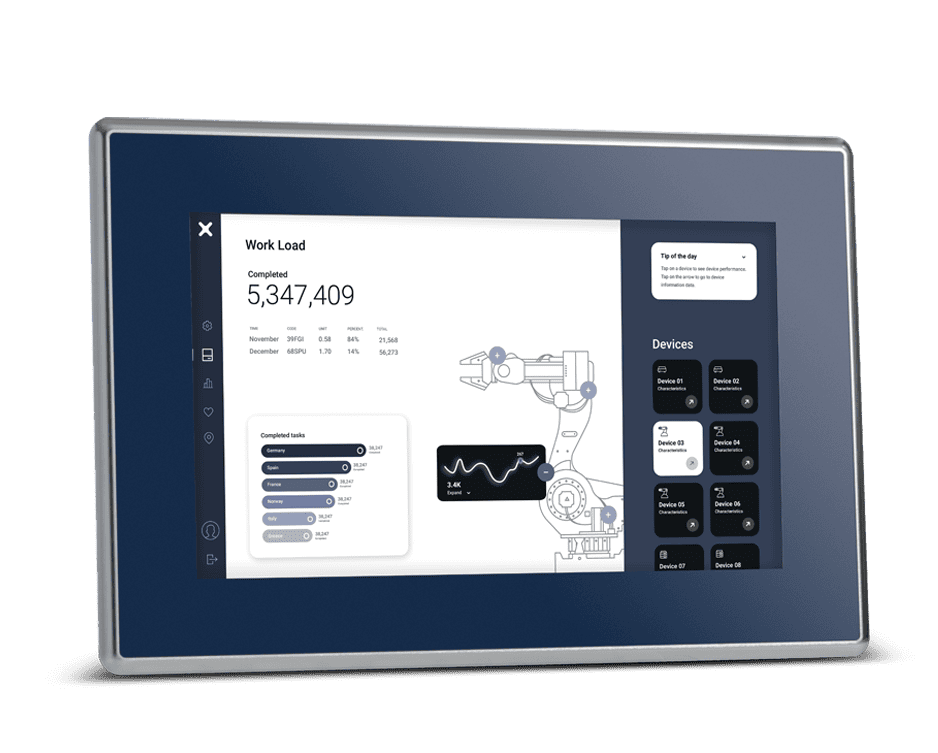
EXOR HMI devices are designed for operator work, local process visualization and a reliable interface in industrial conditions. This group includes industrial HMI, web HMI, outdoor, rugged and mobile HMI solutions. Within this segment, series such as eSMART, eX200, eX700 and JSmart700 stand out, together with their web and mobile variants for more modern and demanding applications.
EXOR industrial PC solutions are intended for applications where reliable computing power, flexibility and stable operation in demanding conditions are important. This part of the portfolio includes platforms for advanced control, edge data processing and connectivity of automated systems, from compact BOX PCs to panel and modular systems. In this category, the Xedge, EPC, IPC, eCC/eCCF and MON series are highlighted.
EXOR control and connectivity solutions are intended for applications where system connectivity, data exchange and local processing are just as important as visualization itself. This group includes IoT gateway, IoT control panel and embedded systems solutions for industrial connectivity and digitalization. Within this category, the eXware and MicroEdge series stand out, as do development and embedded platforms such as SOMs, Development Kits and OpenHMI Kits.
EXOR specialized industry solutions include devices and categories developed for specific industrial conditions where hygiene requirements, operation in aggressive or hazardous environments, certifications and reliability under special operating conditions are important. These include solutions for the food, pharmaceutical, marine & offshore and oil and gas industries, including specialized series such as Food & Pharma and devices developed for outdoor use and higher-risk environments.
The EXOR portfolio is intended for projects where clear visualization, reliable control, connectivity of multiple systems and the gradual digitalization of production and infrastructure processes are important. Depending on the project requirements, HMI devices, Industrial PC platforms and edge/connectivity categories can be combined to provide local operator work, data exchange between devices and readiness for further architectural development. X Platform is a unified approach that connects hardware, edge capabilities, integration of open standards and cloud-ready infrastructure, together with software tools such as JMobile for HMI applications and Corvina Platform for remote access, monitoring and support.
Looking for an EXOR solution for a machine, line, plant or specific industrial environment?
Send us the basic requirements of your project, and the EXOR ETI team will recommend the appropriate device category and the next steps in selecting the right solution.
Contact us for a solution recommendation
Official EXOR International website
Overview of EXOR categories and products

The EXOR International portfolio is not limited to HMI panels. The offer includes Industrial HMIs, Web HMIs, Rugged HMI and Outdoor HMI solutions, Industrial PCs, including Panel PC and Box PC devices, IoT Gateways and edge devices, Embedded Systems, as well as JMobile software and the Corvina Platform. This makes it possible to choose the right combination of local visualization, industrial computing, PLC connectivity, remote access and data exchange with higher-level systems for different applications.
The choice depends on what the device needs to do in the system. An HMI panel is the most common choice when a local operator interface is needed for a machine or line. A Panel PC is selected when a display and an industrial computer are required in one device, with higher performance and the ability to run in a Windows or Linux environment. A Box PC is an industrial computer without a display, usually intended for cabinet installation, edge data processing or running industrial applications. A gateway is used when different PLC, HMI, SCADA, cloud or IT systems need to be connected.
An HMI panel is usually intended for local control of a single machine, device or production line. A SCADA system is most often used to monitor a wider process, multiple lines, plants or locations. In practice, HMI and SCADA often complement each other: HMI enables the operator to work on site, while SCADA provides centralized overview, data archiving, alarming, reporting and monitoring of a larger part of the system.
An EXOR HMI panel enables process visualization, machine or line control, parameter setting, display of alarms, trends and recipes, as well as user-rights management. Depending on the model and software configuration, the HMI can also provide additional functions such as OPC UA communication, MQTT connectivity, data logging, web access or gateway functionality. For this reason, the selection should not be based only on screen size, but also on communication, software, performance and operating conditions.
EXOR HMI panels are used in machine automation, production lines, the food industry, pharmaceuticals, infrastructure, building automation, energy, marine applications and other industrial systems. Their role is to give operators process overview, enable equipment control, parameter adjustment, alarm monitoring and faster response in case of deviations. Certain series are specifically positioned for demanding IIoT edge applications, as well as for factory, marine and building automation environments.
When choosing an HMI panel, it is necessary to check the screen size and resolution, touchscreen type, visibility, IP protection, operating temperature, mounting method, required communication protocols, number of tags, software functions and any required certifications. If the panel is used in an environment with humidity, dust, washdown or glove operation, it is not enough to look only at the screen diagonal. It is also important to check the front protection of the device, the display type and the installation conditions.
Yes, but the specific level of resistance depends on the selected model. EXOR offers devices for standard industrial environments, as well as series intended for more demanding operating conditions. When selecting a device, the IP protection of the front and rear side, temperature range, resistance to humidity, dust, vibration, UV radiation and mounting method should be checked. For Outdoor HMI applications, high screen brightness, protection from external influences and the temperature range are particularly important.
Yes. EXOR International offers solutions and categories intended for specific industrial conditions, including Food & Pharma, Marine & Offshore and Oil & Gas applications. In these applications, special attention is paid to the housing material, IP protection, cleaning method, front-surface resistance, certifications, operating temperature and communication with existing systems. For applications with special requirements, such as explosive atmospheres or aggressive environments, the selection is always confirmed against the specification of the specific model.
EXOR HMI panels and the JMobile environment support a large number of industrial communication protocols and connectivity with different PLC systems. In practice, Siemens, Allen-Bradley, Mitsubishi, Omron, Schneider Electric, Beckhoff, Wago, Delta, Unitronics and other manufacturers are often encountered. Depending on the model and configuration, protocols such as Modbus, OPC UA, MQTT, PROFINET, EtherNet/IP, EtherCAT, POWERLINK, BACnet, KNX and other communication options may be used. The exact list should always be checked for the specific device, software and communication module.
Visualization is created in JMobile Studio, the development environment for building HMI, SCADA and IIoT applications on EXOR operator panels, Industrial PCs and edge devices. It is used to create screens for operator work, PLC communication, tags, alarms, trends, recipes, user rights, data logging functions, audit trail records and reports. Depending on the configuration, JMobile can also be used for OPC UA, MQTT communication, access to SQL databases, LDAP integration and cloud connectivity.
Yes. A single JMobile application can communicate with multiple PLC systems at the same time and use several communication protocols within the same application. JMobile can also be used to connect to SQL databases and exchange data with higher-level systems, depending on the selected configuration. Typical applications include data archiving, production analysis, recipes, reports, alarm history and data exchange with SCADA, MES, ERP or cloud systems.
Yes. Depending on the settings and selected solution, access to the HMI application can be possible from a remote computer, tablet or phone, for example via web access, VNC connection, VPN or the Corvina Platform. In an industrial environment, it is especially important that remote access is controlled, with clearly defined user rights, a secure connection and access rules for specific devices or services.
The Corvina Platform is EXOR's platform for secure remote access, monitoring and connectivity of industrial devices. It is used when remote service, access to HMI, gateway or network devices, monitoring of connected systems and management of users, roles and access rights are required. In combination with EXOR hardware and JMobile software, the Corvina Platform helps connect local automation with remote support, service and digital services without constant on-site presence.
Commercial terms depend on the specific device, model and method of use. With certain EXOR devices, the development environment or runtime may be included or available without an additional license, while in some scenarios, such as PC Runtime systems, use with third-party equipment or special functionalities, licensing needs to be checked separately. This is why it is best to define immediately, when choosing the device, where the application will run and which functions are required.
A Panel PC is the better choice when the user wants a local display, operator interface and industrial computer in one device. It is typically used on a machine, production line, control console or local operator station. A Box PC is the better choice when a display is not required on the device itself or when the computer is installed in an electrical cabinet. A Box PC is often used for edge data processing, communication with PLC devices, connection to a SCADA or cloud system, local data storage and industrial integration.
Yes, if the selected model and configuration meet the requirements of the software. Depending on the model, EXOR Panel PC and Box PC devices may be available with Windows or Linux environments and can be used for SCADA applications, local communication services, databases, energy management, edge data processing or connection to MES and ERP systems. Before selecting the device, the processor, RAM, storage capacity, operating system, supported drivers, communication requirements and operating conditions should be checked.
Industrial computers and monitors are designed for reliable operation in production environments, where stability, longer availability, continuous operation, wider temperature range, greater mechanical resistance, IP protection, multiple industrial interfaces and the option of cabinet or machine mounting are important. Many industrial models use a fanless design, meaning operation without a fan, in order to reduce maintenance and increase reliability in dusty or demanding conditions.
An industrial gateway is a device that connects different industrial and IT systems. It is used when PLC, HMI, SCADA, cloud, database or other devices that do not use the same communication protocol need to be connected. A gateway can be used for data collection, protocol conversion, local data processing, sending data to higher-level systems, remote access and digitalization of existing machines.
Yes. One of the important roles of gateway and edge devices is to connect existing automation with modern systems. Data from PLC devices, machines or lines can be collected through industrial protocols, processed locally and forwarded to a SCADA system, BMS, MES, ERP, database or cloud platform. This is particularly useful when modernizing existing plants, where it is not practical or economically justified to replace the PLC or the entire automation system immediately.
EXOR ETI provides support in selecting the appropriate EXOR device, technical consulting, verification of communication requirements, assistance in defining the system architecture, basic support for JMobile applications, coordination with the manufacturer and support during implementation. For more complex projects, it is recommended to define at an early stage the PLC device type, required protocols, number of tags, method of remote access, need for SCADA or cloud connectivity, environmental conditions, screen size and certification requirements.
Slovenia:
EXOR ETI d.o.o.
Brnčičeva 51
1000 Ljubljana
Slovenija
Tel.: +386 1 511 10 95
Fax: +386 1 511 30 79
E-mail: info@exor-eti.si
Croatia:
EXOR ETI d.o.o.
Buzinski prilaz 10
10000 Zagreb
Republika Hrvatska
Tel:+385 1 4633 562
E-mail: info@exor-eti.hr
Serbia:
EXOR ETI d.o.o.
Bulevar Zorana Đinđića 71/15
11070 Novi Beograd
Republika Srbija
Tel: +381 11 4077 165
E-mail: info@exor-eti.rs

18.09.2026
Join our free webinar, “One Energy System: Solar, BESS & Diesel - Industrial Energy Management with...

EXOR ETI d.o.o., copyrights reserved
Website developed by:Izdelava spletnih strani - Spletna postaja